
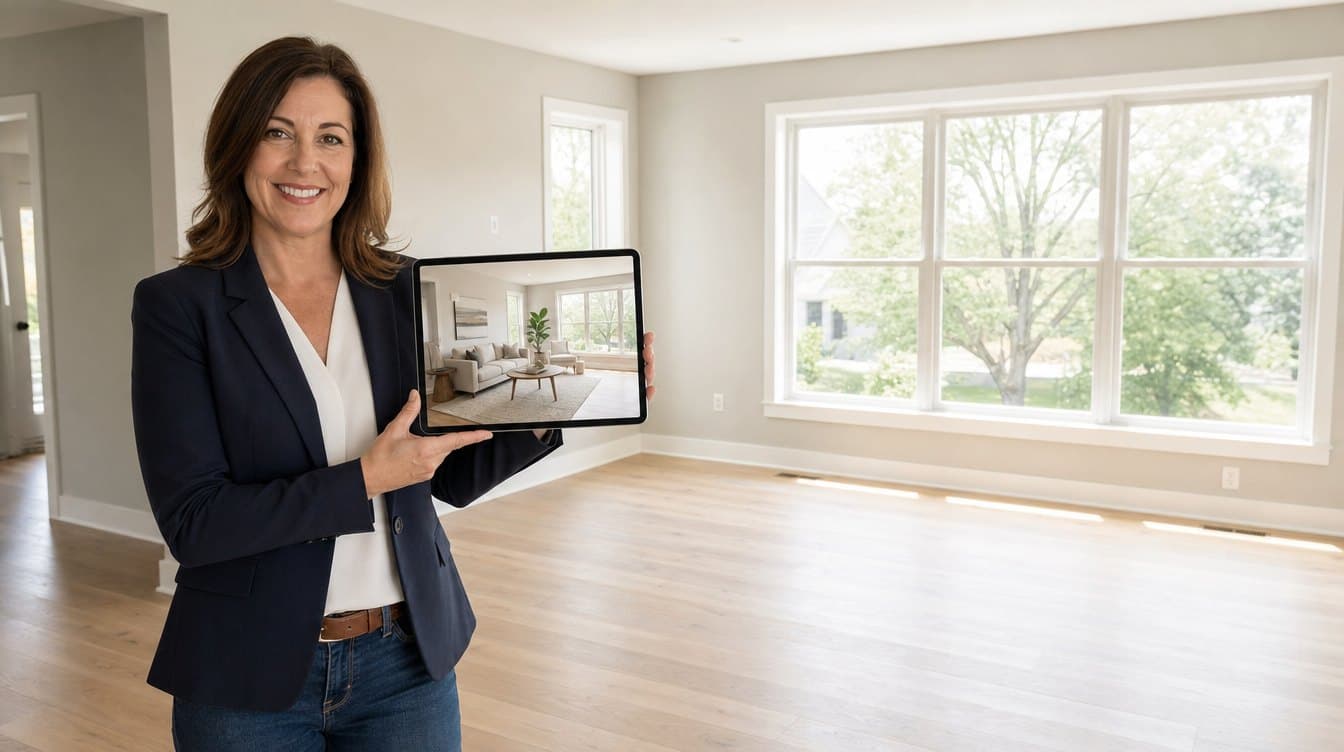
If a vacant or cluttered home is holding up your listing, AI virtual staging lets you fix the photos yourself, the same day, for a fraction of what physical staging costs. Take the photos at the walkthrough, stage or declutter them in seconds, label them as virtually staged, and the listing can go live while the seller is still keen.
Here's what slows listings down, the questions agents are asking ChatGPT and Google about it, and how to use AI staging well, including the disclosure rules that now apply.
What holds a listing back: time and money
Most delays come down to two things.
- Time. Arranging a stager, or waiting for edited photos to come back, can leave a signed listing sitting in draft for days while similar homes nearby are already getting showings.
- Money. The National Association of Realtors' 2025 Profile of Home Staging puts the median cost of a staging service at around $1,500, and about $500 when agents stage a home themselves. That's a hard sell for a mid-priced listing or a seller watching every dollar.
Perhaps that's why so few homes get the full treatment: only 21% of sellers' agents told NAR they stage all of their listings.
Why empty rooms cost you attention
Buyers decide which homes to visit from the photos. An empty room gives them little to go on: it's hard to judge its size, and harder to imagine living there. A room full of a tenant's belongings has the opposite problem.
Staging answers both. In the same NAR report, 83% of buyers' agents said staging made it easier for buyers to picture the property as their future home, and about half of sellers' agents (49%) said it cut the time a home spent on the market.
The questions agents are asking
More agents now type these problems straight into ChatGPT or Google as full questions, like these:
- How do I virtually stage an empty room quickly and cheaply?
- How do I remove a tenant's clutter from listing photos?
- Can AI replace dated furniture in real estate photos?
- How do I make phone photos look professional?
- How long does virtual staging take compared with physical staging?
- Do I have to disclose that a listing photo is virtually staged?
The answers are below, one tool at a time.
What AI staging can do, photo by photo
Stage an empty room
Upload a photo of the empty room, choose a style or describe what you want, and the room comes back furnished. StageRight has 15 staging styles, from Scandinavian and Japandi to mid-century and coastal, so you can match the furniture to the home and the buyer you expect.
Clear out the clutter
Decluttering takes out a tenant's or seller's belongings, such as boxes, piles of laundry or worn furniture, and keeps what you want to keep. It removes things that will leave with the owner, never the walls, windows, floors or anything that tells a buyer about the home's condition.
Lift your phone photos
Enhancement brightens the light, corrects the color, and can add a twilight sky or a clearer view through the windows, so photos taken on your phone at the walkthrough are good enough to list.
Improve curb appeal
The exterior tool tidies front yards and lawns, which matters because the front of the home is usually the first photo buyers see.
A same-day listing, step by step
- Take your photos during the walkthrough. A phone is fine.
- Upload them and choose a style for each room, or say what you'd like.
- Each photo comes back in under 30 seconds. Try another style if the first isn't right.
- Label every virtually staged photo, and keep the unaltered originals.
- Publish the listing, often before you've left the driveway.
Stage honestly: the disclosure rules
Virtual staging is there to help buyers see what a home could be, never to hide what it is. The rules are catching up, so build labeling into your routine:
- California: since January 1, 2026, AB 723 has required licensees who digitally alter a listing photo to say so clearly, and to give buyers access to the unaltered original, for example with a link.
- Your MLS: many MLSs have their own rules. Stellar MLS and HAR, for example, require a watermark on virtually staged photos. Check yours before you publish.
- Everywhere: dress rooms, don't rebuild them. Remove belongings, not defects, and keep the originals in case anyone asks.
Done this way, staged photos are a selling point you can stand behind.
Virtual or physical staging?
| Physical staging | AI virtual staging | |
|---|---|---|
| Cost | Median around $1,500 for a staging service (NAR, 2025) | Priced per photo, a fraction of that |
| Time | Booking, delivery and setup | Under 30 seconds a photo |
| Changing the look | New furniture, new visit | Pick another style |
| Occupied homes | Owners pack up and move things out | Declutter the photo instead |
| Viewings in person | Buyers walk through furnished rooms | Rooms stay empty, so tell buyers before they visit |
For most listings, virtual staging wins on speed and cost. Physical staging still earns its place where buyers walk through furnished rooms, such as model homes. There's more detail in our comparison of virtual and physical staging.
Quick questions
How long does AI virtual staging take?
With StageRight, under 30 seconds a photo, so you can stage a whole home in one sitting.
How much does virtual staging cost compared with physical staging?
NAR puts the median cost of a staging service at around $1,500. AI staging is priced per photo; see our pricing for the current plans.
Do I have to say a photo is virtually staged?
In California, yes, since January 1, 2026, and many MLSs require a label or watermark. Wherever you are, labeling it is the honest choice.
Can AI remove a tenant's things from listing photos?
Yes. Decluttering removes belongings and leaves the room itself as it is. It shouldn't be used to hide damage or remove permanent features.
Will it work with photos from my phone?
Yes. Start with the best light you can get, and enhancement will take care of brightness and color.
Try it on your next listing
Don't let an empty room or a waiting list hold your listing back. Try StageRight on one of your own photos: one photo is free, with no sign-up and no card.
Sources
- National Association of Realtors, "Staging to sell: the real estate shift toward picture-perfect homes", May 6, 2025, on the 2025 Profile of Home Staging.
- California Assembly Bill 723 (2025), on digitally altered images in real estate advertising, in force from January 1, 2026.